Icons are an indispensable element of modern web design, guiding user navigation, emphasizing calls-to-action, and clarifying interface feedback. However, how you implement icons on your WordPress website has a dramatic impact on Google Core Web Vitals, Largest Contentful Paint (LCP), and Cumulative Layout Shift (CLS). In this 2026 technical guide, we explore the trade-offs between traditional icon fonts and modern SVG techniques, review the 10 best icon websites and generator tools, and demonstrate how to keep your WordPress interface ultra-lightweight and lightning fast.
Icon Fonts vs. Inline SVG in 2026: The Core Web Vitals Reality
For years, icon fonts (such as Font Awesome or Dashicons) were the industry standard because they scaled vectors cleanly and could be manipulated via standard CSS font properties. In modern web development, however, icon fonts present substantial performance challenges:
- Render-Blocking Font Requests: Icon fonts require an external CSS file plus a separate font file download (WOFF2/WOFF). If the font download delays, browsers experience FOIT (Flash of Invisible Text) or FOUT (Flash of Unstyled Text), triggering layout shifts and degrading Cumulative Layout Shift (CLS).
- Bloated Asset Payloads: Loading an entire 150KB icon font file simply to render four UI icons (like a shopping cart, a search magnifying glass, a close toggle, and a chevron) wastes cellular bandwidth and slows down mobile First Contentful Paint (FCP).
- Screen Reader Accessibility: Icon fonts often render using CSS pseudo-elements (
::before) with arbitrary Unicode characters, confusing screen readers unless configured with strictaria-hidden="true"attributes. - The Modern SVG Advantage: Inline SVGs and SVG symbols load synchronously with HTML, execute zero additional HTTP font roundtrips, scale crisply on high-DPI displays, and offer granular CSS and DOM control without any font-rendering lag.
Top 10 Icon Websites, Libraries and Tools for 2026
1. Font Awesome (Free & Pro)
Font Awesome remains the most recognized icon system in the web ecosystem, offering thousands of icons across solid, regular, light, thin, and duotone styles. In modern WordPress sites, prefer using their official SVG + JS package or generating a custom sub-set kit rather than enqueuing their monolithic webfont stylesheet.
2. IcoMoon App (Custom SVG & Font Builder)
IcoMoon is arguably the best tool for eliminating icon bloat. Rather than loading third-party sets indiscriminately, IcoMoon’s web app allows you to hand-select only the exact 10 or 15 icons your site needs and export them as a minified SVG sprite or micro-sized custom font pack (often under 4KB).
3. Lucide & Heroicons (Modern Developer Vector Systems)
For clean, minimalist UI components in 2026, open-source libraries like Lucide and Heroicons (crafted by the Tailwind CSS team) have become the gold standard. Hand-crafted on consistent 24×24 pixel grids, they paste directly into WordPress Block themes as pure inline SVGs.
4. Dashicons (WordPress Core Icons)
Dashicons is the official icon font bundled inside the WordPress administrative dashboard since version 3.8. While natively available in the admin panel, avoid enqueuing dashicons.min.css on your front-end theme for non-logged-in visitors, as it injects an unnecessary 30KB render-blocking request.
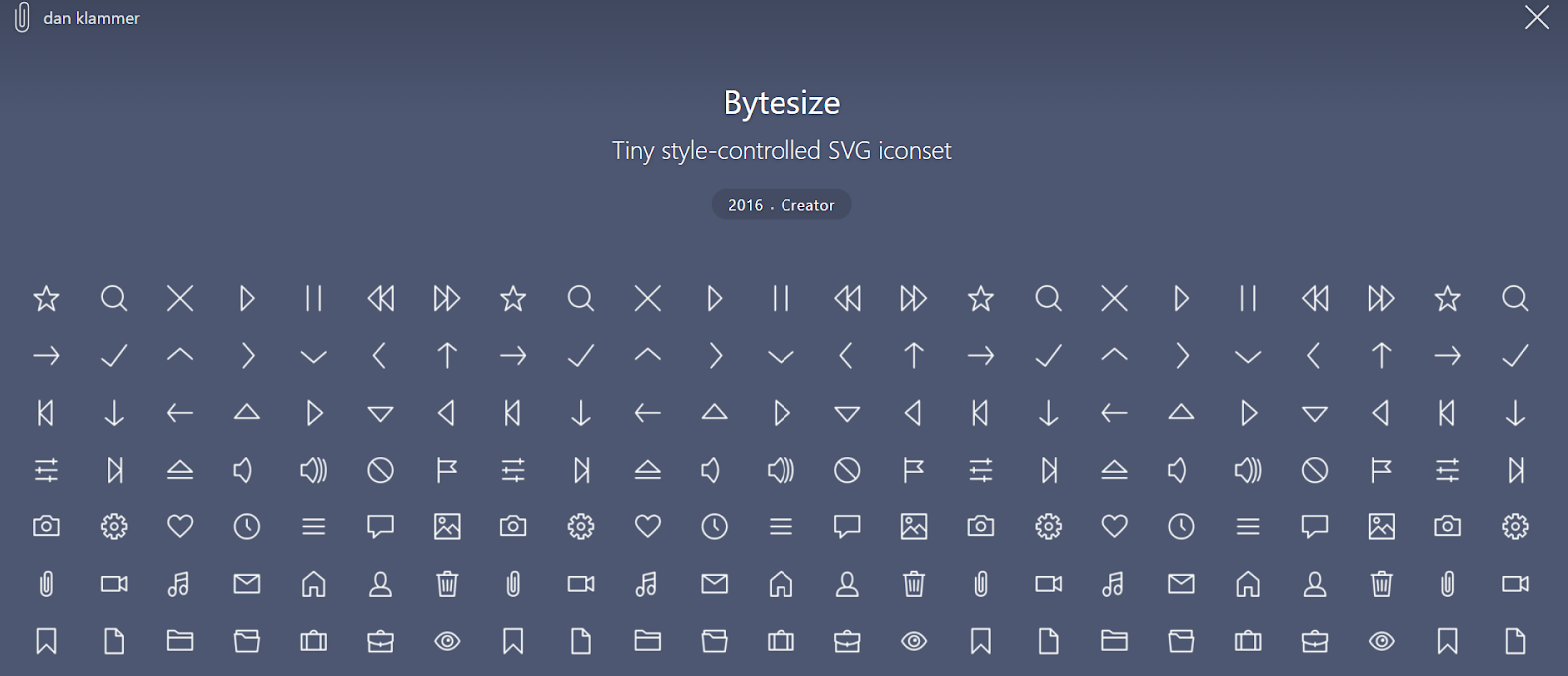
5. Bytesize Icons (Ultra-Lightweight Micro Vectors)
Bytesize icons are designed on a strict 32×32 grid using raw SVG stroke paths. Because they rely on stroke styling, you can alter stroke width, cap, and join dynamically via CSS. The entire 84-icon set weighs under 2KB when compressed, making it perfect for high-speed performance purists.
6. Flaticon (Massive Vector Library)
Flaticon offers one of the largest graphic databases in the world, with millions of icons across flat, line, and colored collections. When using Flaticon on commercial sites, downloading individual SVG files is recommended over font kits to maintain strict asset control.
7. Fontello (Icon Font & SVG Packer)
Fontello lets you mix and match icons from multiple popular open-source packages (Font Awesome, Entypo, Typicons, Iconic) into a single custom bundle. You can upload custom SVG artwork and let Fontello compile an optimized webfont or vector package.
8. Free Icon Shop
Free Icon Shop provides clean, modern icon sets in SVG, PNG, and PSD formats with clear commercial usage licensing, avoiding complex attribution restrictions for client builds.
9. Iconfinder
Iconfinder is a massive marketplace featuring over 6 million icons and illustrations. Its powerful search filters allow you to isolate icons by license type, format (SVG/PNG), and visual style.
10. Native System Emojis & Unicode Vectors
Never overlook native system emojis and Unicode symbols! Modern operating systems render system emojis (such as ✅, 🔒, 🛒, or →) instantly using native system fonts. They require exactly 0 bytes of network transfer and zero HTTP requests, making them the ultimate zero-overhead visual solution.
Why Plugin Icon Architecture Dictates Core Web Vitals
One of the most insidious sources of icon bloat on WordPress websites does not come from your active theme—it comes from installed plugins! Many cookie banner plugins, social share toolbars, and WooCommerce extensions enqueue full external icon font files simply to render a single checkmark or close button.
At WP Upgrader, our plugin engineering philosophy enforces a strict Zero-Font-Dependency Architecture. Our tools utilize inline SVGs and clean CSS, ensuring your website remains lightning-fast.
GDPR Consent Pro: Zero Render-Blocking Icon Requests
Most commercial CMPs load external icon packages that delay cookie banner rendering and lower mobile performance scores. GDPR Consent Pro uses lightweight, minified inline SVGs for all consent toggles, lock icons, and preference dialogues. The entire plugin weighs under 5KB, executes with 0ms main-thread delay, and provides full Google Consent Mode v2 support.
GDPR Consent Pro for WordPress
Ultra-fast self-hosted cookie banner with zero external fonts and full Google Consent Mode v2 support.
- Zero External Font Requests: High-performance inline SVG vectors ensure CLS 0.00.
- Google Consent Mode v2: Turnkey conversion modeling for Google Ads and GA4.
- Sub-5KB Payload: Zero-latency execution that preserves 100% PageSpeed performance.
WooCommerce Related Products by Attributes: Clean, Font-Free Catalog Upsells
When presenting product recommendations, heavy carousel plugins often inject multiple font libraries. WooCommerce Related Products by Attributes utilizes pure semantic CSS grids and SVG navigation markers, matching products based on precise attribute criteria and boosting Average Order Value by 22% to 38% without slowing down product page rendering.
WooCommerce Related Products by Attributes
Smart attribute-based upsells engineered with clean, font-free CSS layouts.
- Contextual Product Matching: Recommends items matching exact color, size, and material attributes.
- 22% to 38% AOV Increase: Proven conversion lift on single and variable product pages.
- Zero Front-End Latency: Clean code with zero third-party font or stylesheet dependencies.
Automatically Tag Posts and Pages: Semantic Topic Taxonomy
Keep your content library organized without manual metadata tagging. Automatically Tag Posts and Pages scans body content and headings to assign relevant taxonomy tags upon publishing, strengthening internal linking architecture across large content hubs.
Automatically Tag Posts and Pages
Automated keyword matching that creates rich topical clusters across your website.
- Automated Taxonomy Assignment: Instantly scans and tags posts based on keyword triggers.
- Internal Linking Multiplier: Powers contextual related post widgets and topic siloing.
- Bulk Taxonomy Engine: Organizes thousands of legacy posts in minutes.
Earn 50% Recurring Revenue with the WP Upgrader Affiliate Program
Are you a WordPress agency designer, theme developer, or performance specialist? By partnering with the WP Upgrader Affiliate Program, you earn an industry-leading 50% lifetime recurring commission on every plugin license purchased and renewed through your referral links.
Join the WP Upgrader Agency Partner Program
Introduce your clients to our clean, high-performance plugin suite. Receive monthly payouts and dependable recurring income with 30-day tracking cookies.
Apply to the Affiliate Program →Frequently Asked Questions (FAQ)
Are icon fonts bad for Core Web Vitals?
Yes. Icon fonts introduce render-blocking stylesheet requests and can cause FOIT (Flash of Invisible Text) or layout shifting (CLS) while downloading font files. Inline SVGs eliminate font downloads entirely and render instantly with HTML.
How do I replace icon fonts with SVGs in WordPress?
You can use the native WordPress Block Editor to insert SVG icons, load SVG symbols via an optimized SVG sprite sheet in your child theme, or use tools like IcoMoon to compile only the specific icons you need.
Should I dequeue Dashicons on my WordPress front-end?
Yes. Unless your front-end theme explicitly relies on Dashicons for non-logged-in users, dequeuing dashicons.min.css prevents an unnecessary 30KB HTTP request and improves mobile page load times.
Do WP Upgrader plugins add extra font files to my site?
No. All WP Upgrader plugins—including GDPR Consent Pro and WooCommerce Related Products by Attributes—use zero external font dependencies and rely strictly on lightweight inline SVGs and clean CSS.